



DocuFlow AI

DocuFlow AI is an enterprise platform that automates document processing with AI.

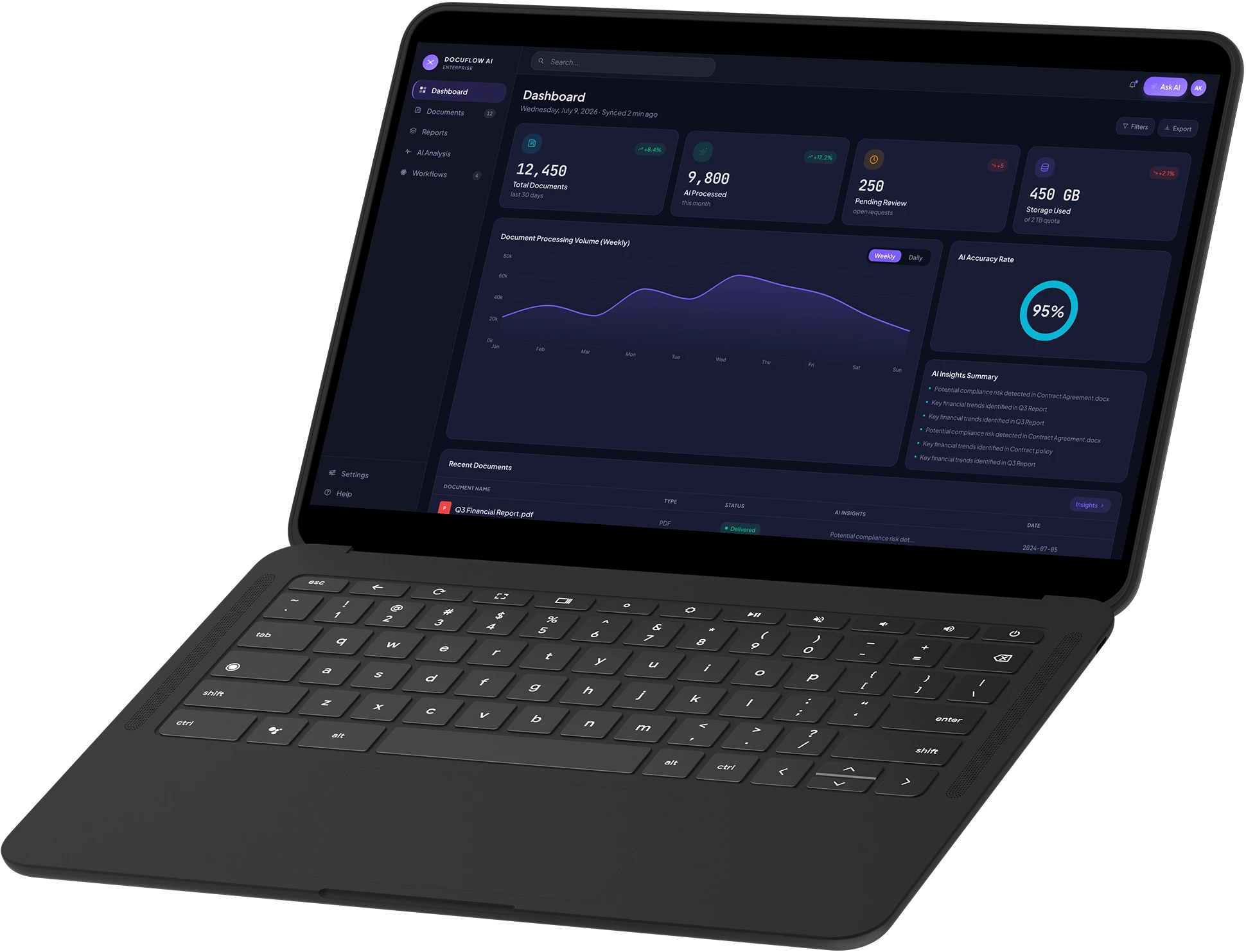
The DocuFlow AI dashboard on a laptop

The system parses and classifies incoming documents and picks out the data that matters. Manual review drops from a full working day to a couple of hours.

  • Documents processed 200 / day
  • Time per document 5 min
  • Work optimised 5+ hours

About the project

DocuFlow AI was built for companies whose flow of incoming documents is simply too large to handle by hand. Staff used to spend half the working day on it: reading every contract or invoice, pulling out the fields, copying them into the accounting system and making sure nothing slipped through. We built a product where AI takes that routine on: it parses the document itself, works out the type, finds the data that matters and shows a finished record straight away. Working with documents becomes far faster and calmer, and the team spends its time on decisions rather than moving fields by hand.

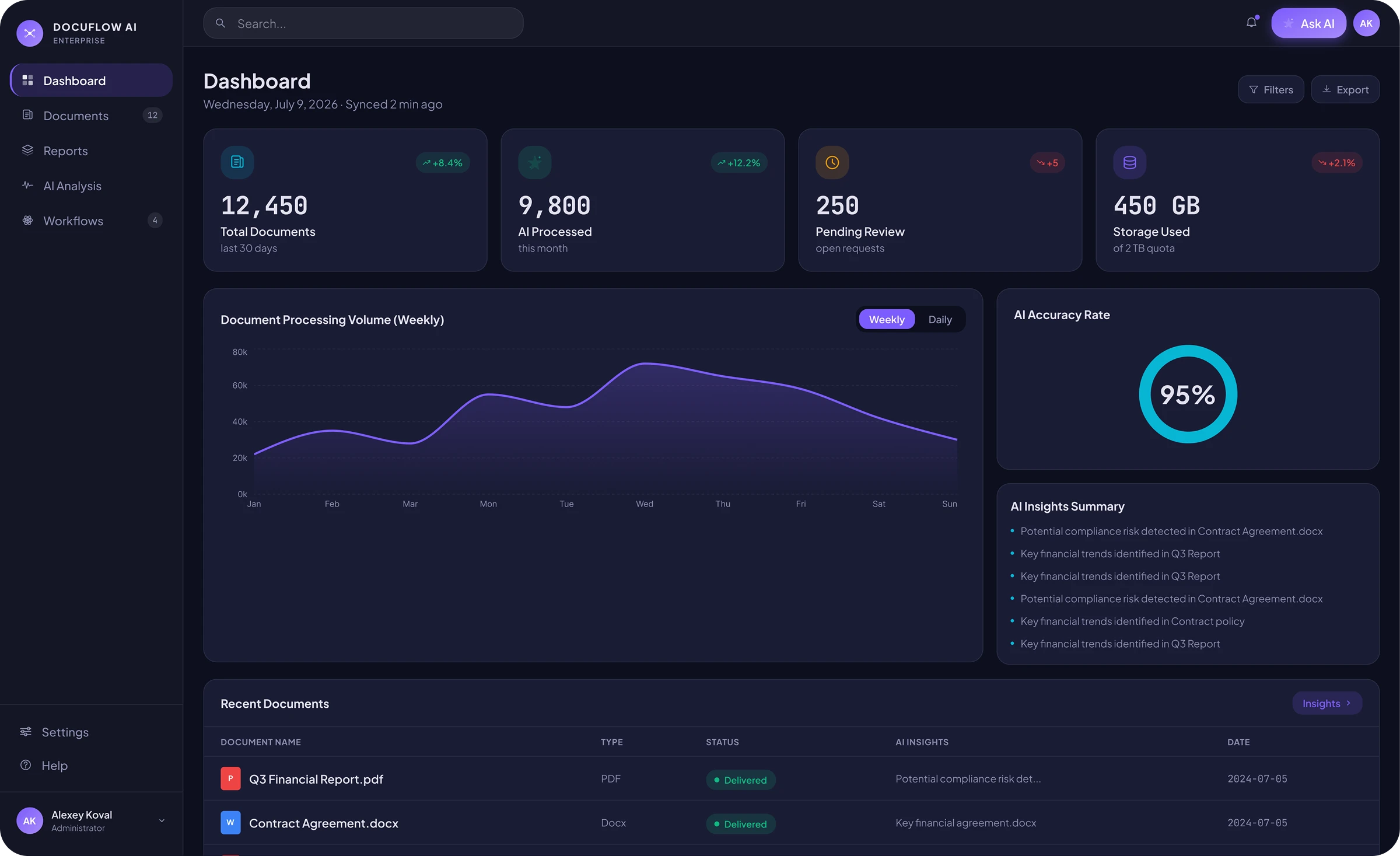
The DocuFlow AI main screen: document volume, recognition accuracy and the latest arrivals

Beetrail embedded AI into document processing. The AI parses and classifies incoming documents and extracts the data that matters, so manual processing fell from a full working day to a couple of hours. It suits businesses drowning in routine that can no longer keep up with a growing workload.

The pain

Documents were handled by hand: read, sorted, fields carried across one at a time. That ate a full working day of someone’s time — and a tired person makes mistakes. The flow kept growing, the team fell behind, and documents that mattered were lost in the queue waiting to be processed.

The fix

We put AI into document processing: it parses the incoming document itself, classifies it by type and pulls out the fields that matter. A person is left checking the result rather than retyping it. Manual processing fell from a whole day to a couple of hours.

What the service does

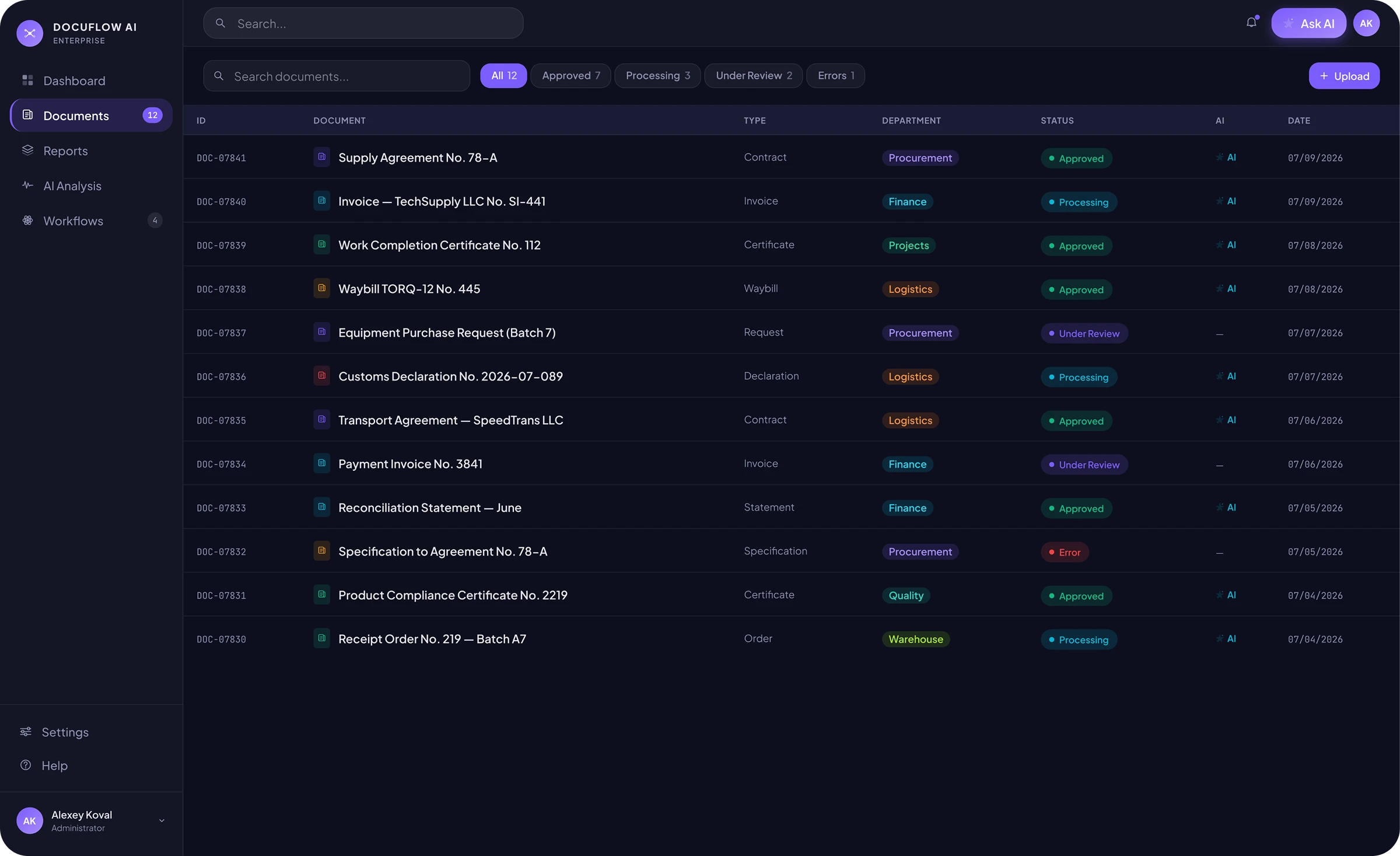
DocuFlow AI is a document workflow where AI is part of every screen. Incoming files are parsed automatically and land in a single list filtered by type, department and priority — all that is left for a person is to check and approve what the system decided.

A single list of incoming documents filtered by type, department and status

Main functions

  • AI document parsing

    The AI pulls the key data out of the file and works out its type. Manual entry is gone — a person only checks and approves.

  • One inbox for everything

    Every document in the company sits in one workspace, filtered by type, department, status and processing priority.

  • Analytics and reports

    The whole document flow in charts: movement through the stages, deadlines by department, volumes by month. Reports build with one click or on a schedule, with no hand-assembled spreadsheets.

  • Requests with AI hints

    Supplier changes, licence renewals and budgets all run through one flow. The AI suggests the deadline and priority from the history of similar cases.

Analytics dashboard

The main screen brings the whole picture together: how many documents are in the system, how many the AI has already parsed, how many are waiting for review and the average recognition accuracy. A volume chart for the last few days and a findings panel point to where risks, disputed clauses or important terms turned up in fresh contracts. The latest documents are listed here too, with statuses and a short hint for each.

The DocuFlow AI analytics dashboard with a volume chart and recognition accuracy

Document record

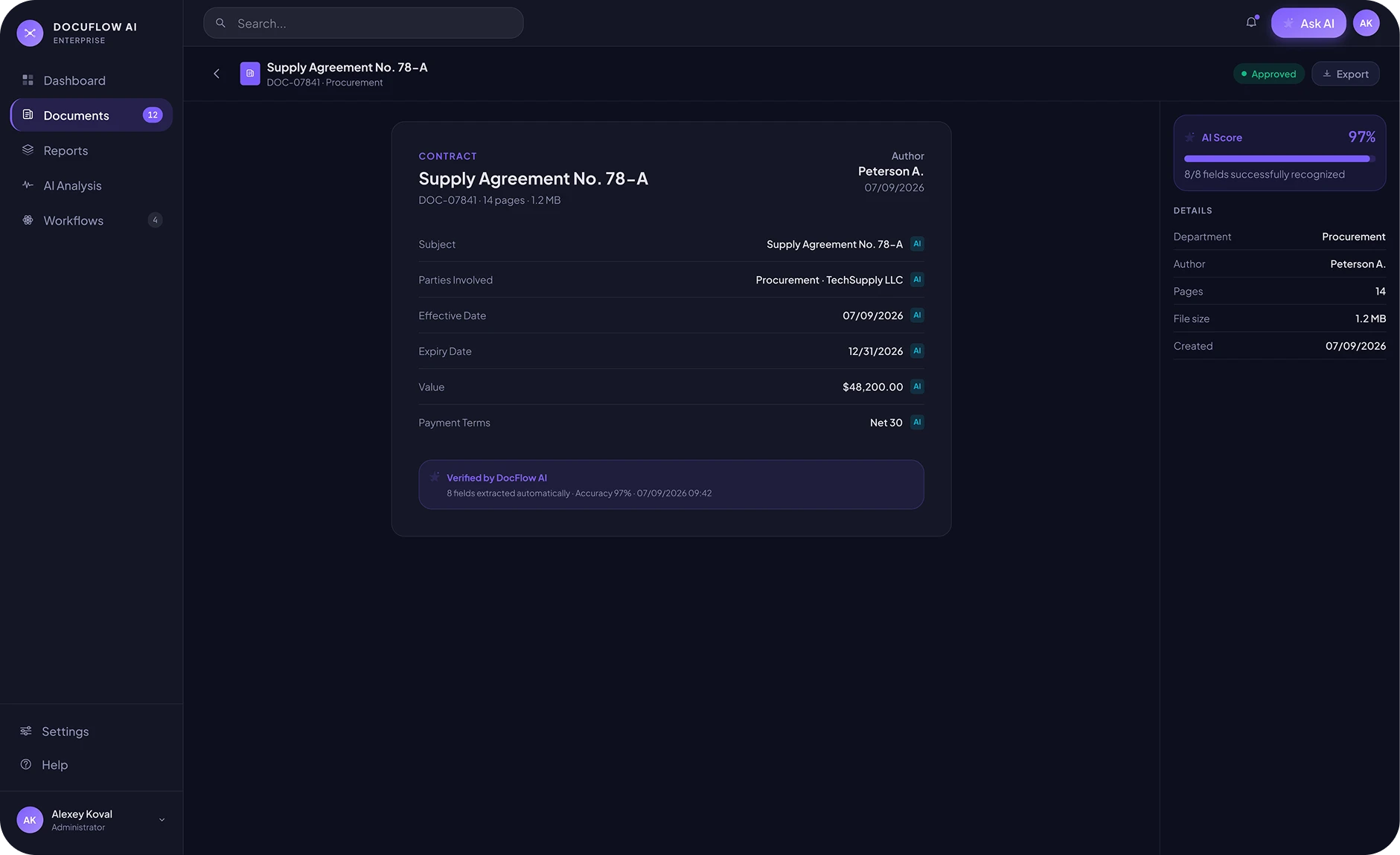
In the document record the fields are filled in automatically: the parties to the contract, dates, amount, payment terms. Each field is marked as recognised by AI, with a confidence level in per cent. There is also an overall review mark and a count of the fields the system filled in itself.

A contract record with AI-recognised fields and confidence levels

AI analysis

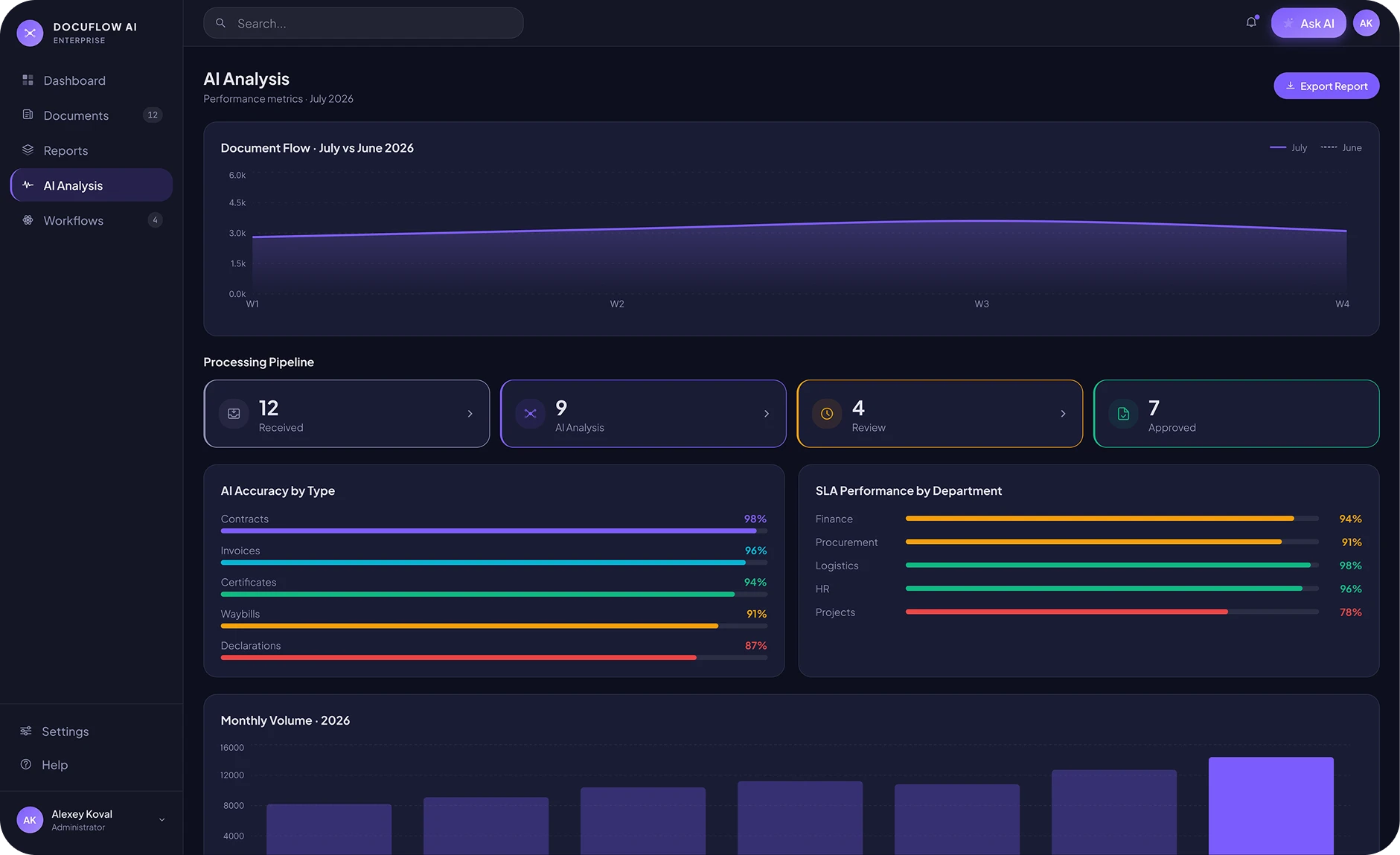
The analytics section shows documents moving through the stages: received, processing, under review, approved. Separate charts show recognition accuracy by document type (contracts, invoices, certificates, waybills, declarations) and how departments are keeping to deadlines. Below that sits a comparison with last month and the spread across the months of the year.

The AI analysis section: processing pipeline, accuracy by document type and deadlines by department

Reports

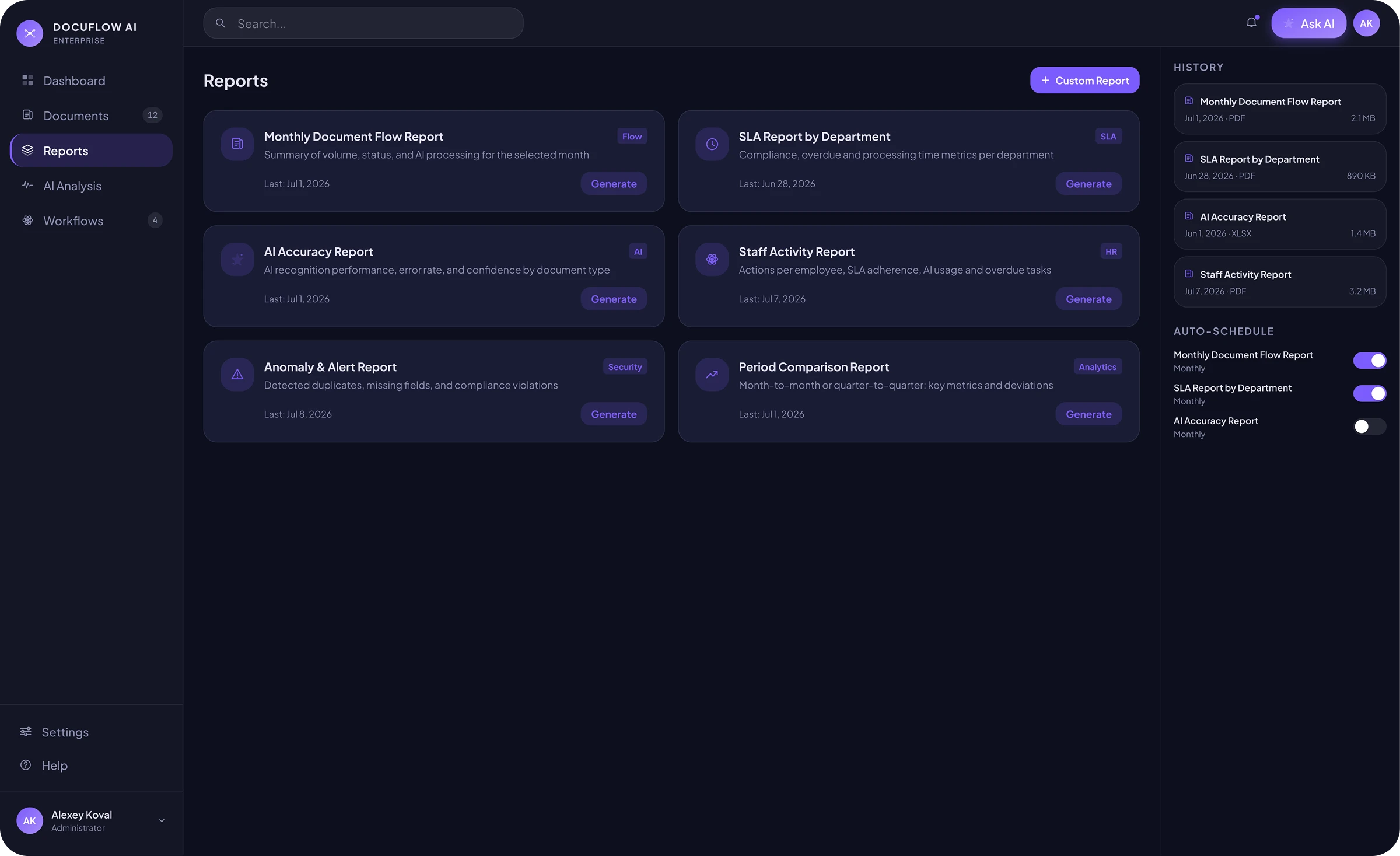
The reports section holds six ready-made forms: monthly document volume, deadline compliance by department, recognition accuracy, staff activity, anomalies found and a period comparison. Any report builds with one click. The ones used most often can be put on a schedule, and the system prepares them by itself.

The DocuFlow AI reports section with ready-made forms and automatic scheduling

Request board

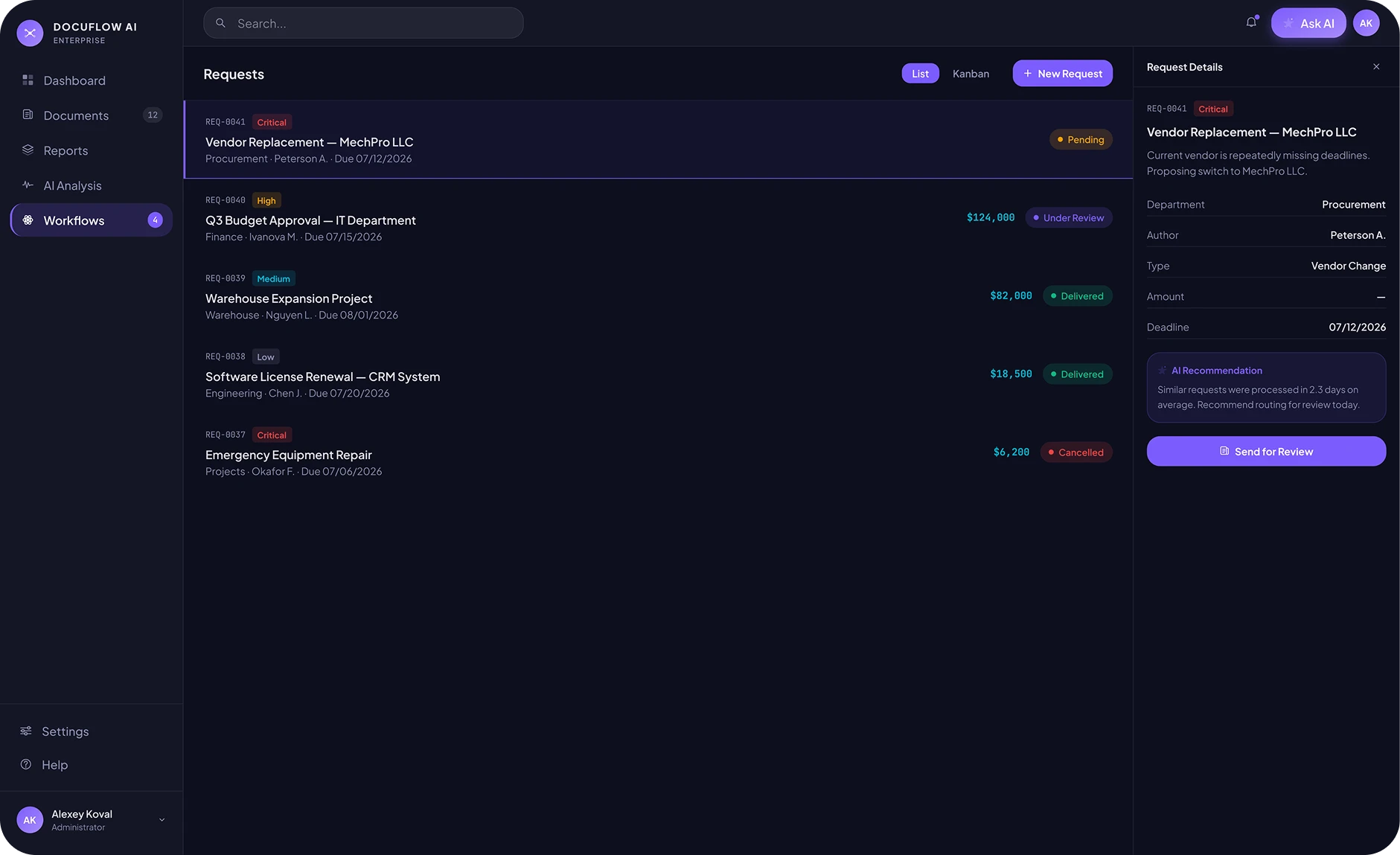
Requests live in one section and can be viewed as a list or as a board by status. It holds the routine ones: supplier replacement, budget approval, licence renewal and the rest. Each request carries a priority — urgent, important or normal. The AI suggests how long such requests usually take and what is worth doing today, drawing on similar cases from the history.

The request board with priorities and an AI recommendation on timing

AI assistant

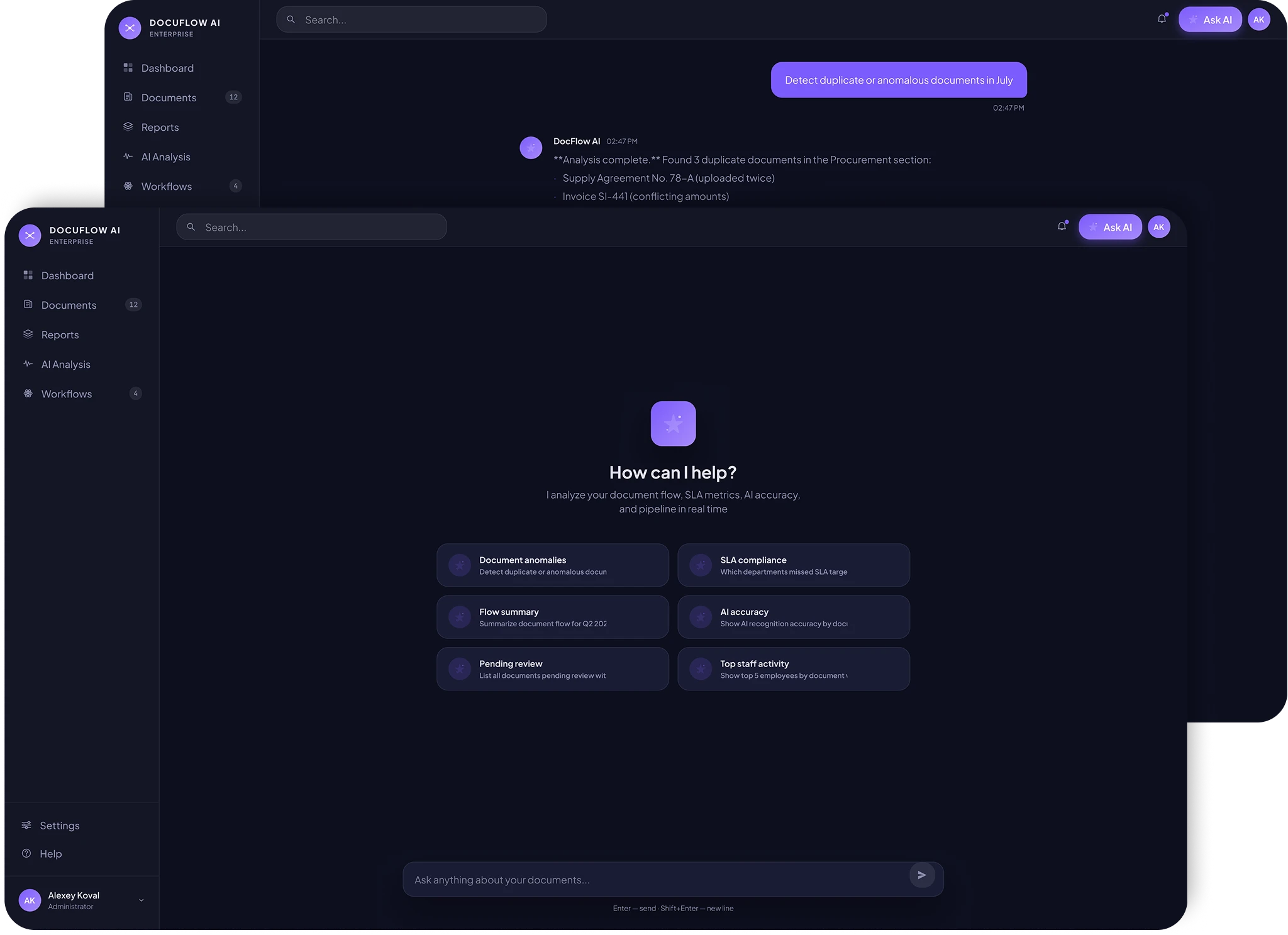
A chat with the AI opens in the top-right corner of any screen. You can ask it in plain language — “find the duplicates from July”, “where were deadlines missed”, “the five most active employees”. The AI answers in text, attaches links to the documents in question and briefly suggests what to do with them next.

The DocuFlow AI assistant chat: a plain-language question and an answer linking to documents
  1. Mapped the document flow and the points where it slows the working day down.

  2. Taught the AI to parse and classify the routine document types.

  3. Wired up automatic parsing with data extraction.

  4. Kept a way for a person to check the final result by hand.

How we worked

Result

After launch the team got back the time that used to go on paperwork. Staff stopped digging through stacks of incoming requests and turned to what actually matters. Documents no longer pile up in the queue, and working with them became calm and predictable.

Achievements

  • Faster file processing
  • AI parses and extracts the data itself
  • Less manual entry and fewer errors

Other cases

AIAutomation
Wizard AI

Our own AI agent. It talks to inbound leads on Telegram and on the site, qualifies them, and passes the manager everything needed to reply.

Incoming requests handled 100%
Customer support 24/7
Reply to a client within 5 min
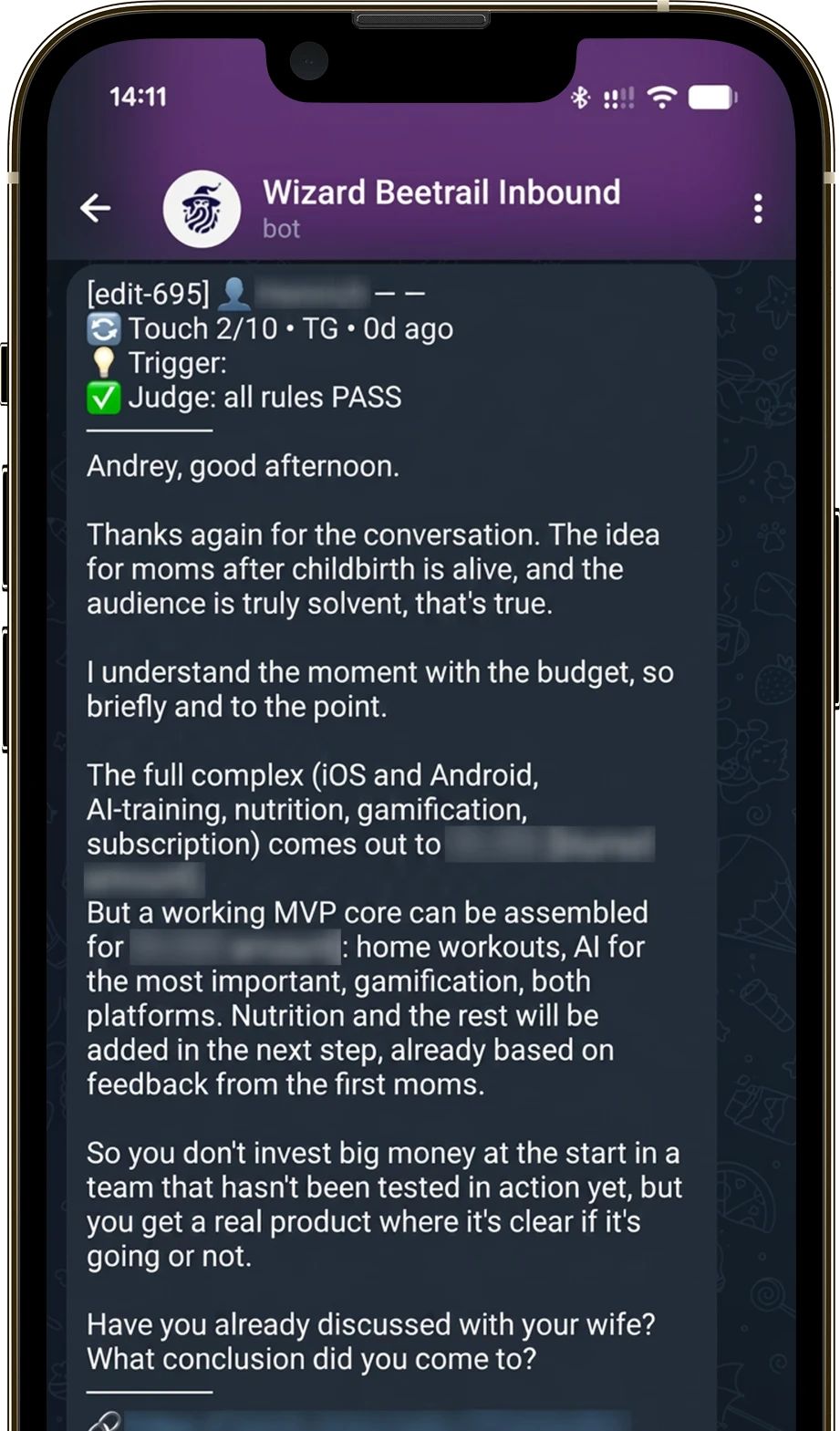
Wizard AI app screen
AIMobile
AI Assistant

A mobile app with a voice AI assistant and an animated character. Wake word, speech recognition, the AI reply and playback all run as one voice flow.

Requests resolved 95%
Quick answers to questions 5 sec
Open access 24/7
AI Assistant app screen

Book a free consultation with us

We’ll break down your idea, outline an action plan and give you a sense of cost and timeline.

Tell us about your project

We’ll review your idea and get back to you within 24 hours!

* required field